Live Prototype

Try the redesigned human-in-the-loop interaction flow — execution plan review, mid-task modification, and sign-in handoff.

Try Prototype →
YuRong C.
YuRong C.

Hi! This prototype was built directly in code using Claude Code. As a designer, I enjoy building products and polishing them. Every interaction, from the typing animations to the exact moment the split view slides in, was implemented and iterated by hand.

It took a bit longer than a static mockup, and I spent quite some time polishing it even though it's a prototype. I believe interaction design only truly comes alive when you can actually feel the timing. Building it live also surfaced many ideas that wireframes never could. You can see how some of these UI components evolved from this process on the Design Evolution page.

A quick note: if you run into any weird bugs, or if the simulated agent forgets its script and gets stuck, please bear with it — it's still just a prototype. Have fun playing around with it! 👾

What's in the Demo

Two Flows to Try

Take your time with it. The typing animations are intentional and paced to feel like the agent is actually thinking.

Try Prototype →
Press to skip typing animations if you'd prefer to move faster
Demo Use the Demo shortcut in the input bar to jump directly to Flow 2
Note Some buttons are disabled and fields are pre-filled to keep the demo on a controlled path
Flow 01
Execution Plan Confirmation

Before the agent runs, it presents a step-by-step execution plan for your review. Approve it as-is, or modify individual steps before anything begins. This is the primary human-in-the-loop checkpoint.

Start here. Submit the pre-filled task in the input bar to begin.
Flow 02
Google Auth Handoff

Mid-task, the agent encounters a step requiring Google authentication. Rather than failing silently, it pauses, explains why it needs your help, and hands control back cleanly.
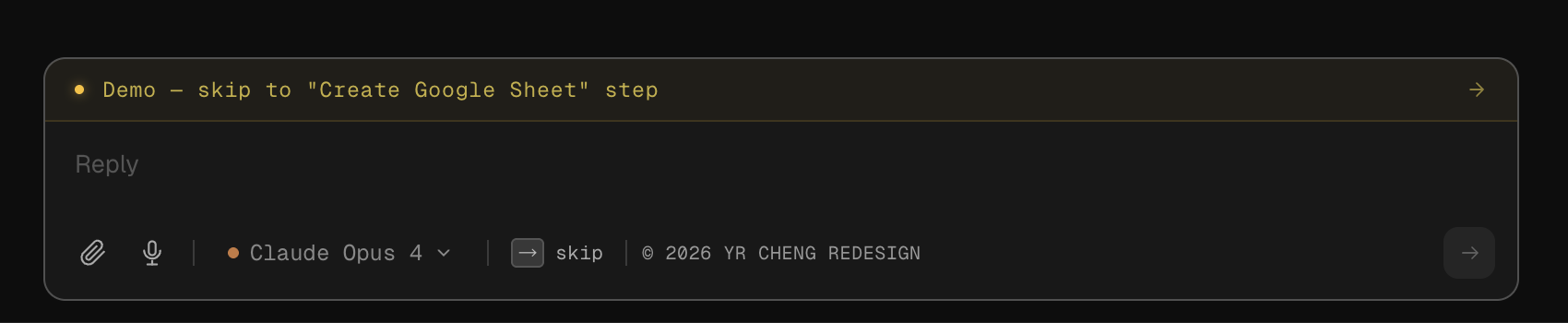
Skip ahead. Use the Demo button in the input bar to jump directly to the auth handoff state.
Demo shortcut: skip to Create Google Sheet step
The Demo button in the input bar skips directly to the "Create Google Sheet" step — where the Google auth handoff interaction begins.